AI Workshop
Stop just chatting with AI. Start putting it to work.
Five evenings (Mon, Tue, Thu, Fri, Sat), 6:30–8:30 PM Eastern, live on Zoom, $99 for all five nights (regularly $199), no experience needed.
Bonus: Get two free weeks of Grok Bot to use during the class with this link: https://grok.com/refer/bot?code=ESYFJHG4PM5C
- 45 spots · Seats limited
- One $99 registration covers all five nights
45 spots · Seats limited · Call 762-200-5558
- Live on Zoom
- 5 evenings · Dec 7–12
- Q&A every class
- No experience needed
- Veteran-Owned Business
You’ll learn how to:
Learn how to connect to all the major AI platforms, not just one. Q&A every class, with the last night saved for leftover questions.
Connect everyday apps
Gmail, Google Calendar, Google Drive, Zoom, Slack, Outlook & Microsoft Office (Word, Excel, PowerPoint)
Use AI with your Tesla and in your car
Put AI to work from the driver’s seat.
Your bank, stocks, tickers, IPOs & crypto
Info only.
How to connect your bank
No financial advice given.
Create social media posts
For Facebook, Instagram, TikTok & YouTube
Work with all the major AI platforms, not just one
Same ideas, different buttons.
What you’ll learn, night by night
Five live evenings on Zoom, 6:30–8:30 PM ET. Beginner-friendly, no coding needed, with Q&A every night.
Getting Connected
- How AI assistants and “connectors” work, in plain English
- Connect Gmail and Google Calendar to your AI, step by step
- A tour of other apps you can connect: Google Drive, Docs, Notion and more
- Live help: bring your phone or laptop and we’ll connect your apps together in class
Your Inbox, Calendar and Daily Tasks
- Search, summarize and organize your email, and draft replies you review before anything is sent
- Book appointments, set reminders and plan your week
- Routines: scheduled summaries and “tell me when” alerts that run even when your laptop is closed
- Create documents, spreadsheets, slides and images just by asking
Ordering and Everyday Errands
- Shop and compare prices, fill grocery carts and order food delivery
- Restaurant reservations, rides, flights and hotels
- Track packages, handle returns and store your card safely
- You always see a summary and confirm before anything is bought
Money and Markets, plus a Tesla Bonus
- Stock quotes, tickers, upcoming IPOs and crypto news (information, not financial advice)
- Price alerts and watchlists
- Connecting bank accounts for read-only balances and spending
- Tesla bonus: use Grok from your car’s web browser at grok.com, and control your Tesla by voice from your phone with the Tessie app
Security, Privacy and Open Q&A
- Lock down your account with passkeys, two-step sign-in, recovery codes and strong passwords
- Review and remove app connections, and keep sensitive info like medical records private
- Leftover questions answered, plus a list of practice prompts to try at home
Q&A every night. Beginner-friendly, no coding needed.
What you learn works on any AI (Grok, ChatGPT, Claude and more): same ideas, different buttons.
- Grok
- ChatGPT
- Claude
- and more
What to bring
- A laptop or phone
- A Google account you’re willing to connect
- Grok Bot installed and signed in
Example questions you’ll be able to ask
Plain-English requests across the apps you already use.
Gmail
- “Draft a reply to my boss about the meeting.”
Google Calendar
- “What’s on my calendar today?”
- “Add my doctor appointment today at 3:00 PM.”
- “Move my dentist appointment to Friday.”
Zoom
- “Schedule a Zoom call with the team tomorrow at 10.”
Google Drive
- “Find my tax folder from last year.”
Slack
- “Send the design team a message about the logo.”
Word · Excel · PowerPoint
- “Make a spreadsheet of my monthly expenses.”
- “Write a one-page summary of this report.”
- “Build a slide deck for the client pitch.”
Outlook
- “Check my inbox for anything urgent.”
Tesla
- “Navigate to the nearest coffee shop.”
- “What’s my battery at?”
Bank · Stocks · Crypto (info only)
- “What’s my account balance?”
- “How’s my portfolio doing today?”
- “What have I spent my money on over the last year?”
- “What percentage of my money goes to child support?”
- “What percentage goes to clothes?”
Learn how to connect to all the major AI platforms, not just one.
Just your own spending info, not financial advice.
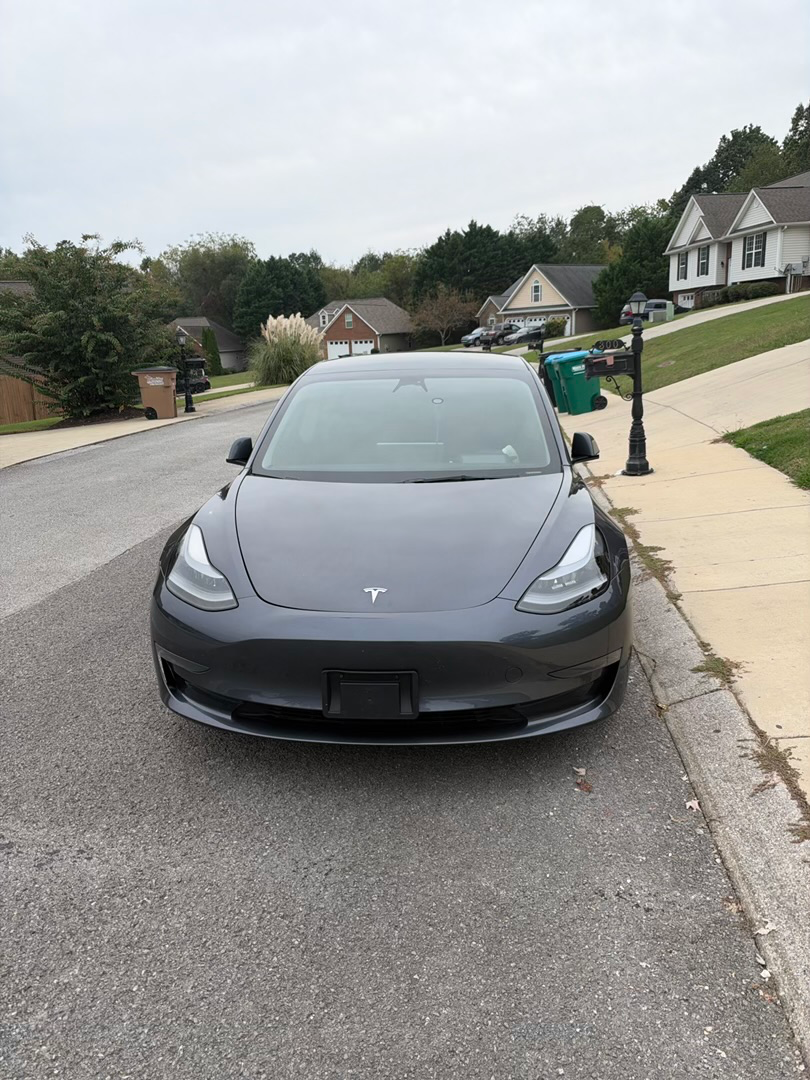 Night 4 Tesla bonus
AI in your Tesla
Learn to use AI in the car, including the Grok bot you create yourself, and put all your Grok bots to work answering your questions.
- “Navigate to the nearest coffee shop.”
- “What’s my battery at?”
What you’ll learn to connect and use with AI
- Word
- Google Docs
- PowerPoint
- Excel
- Gmail
- Outlook
- Google Calendar
- Google Drive
- Zoom
- Your bank accounts, stocks, and crypto
- Your Tesla account
Workshop details
- Night 1Getting ConnectedMon, Dec 7
- Night 2Your Inbox, Calendar and Daily TasksTue, Dec 8
- Night 3Ordering and Everyday ErrandsThu, Dec 10
- Night 4Money and Markets, plus a Tesla BonusFri, Dec 11
- Night 5Security, Privacy and Open Q&ASat, Dec 12
- One $99 registration covers all five nights
- 45 spots per class
- No experience needed
- Bring a laptop or phone, a Google account you’re willing to connect, and Grok Bot installed and signed in
Can’t make December? Future sessions are also listed on Square, same $99.
- January 11–16
- February 8–13
Market info for education, not financial advice.
Spending and market info is for education only, not financial advice.